DTC scan up to 20× faster
DTC signature scanning now runs on a native engine that uses every core of the processor. The codes found do not change: zero difference measured across 179 ECUs.

Automatic ECU solutions, 16 new engine modules, automatic checksum and a library of more than 246,000 original files, together in one project.
Windows · Updates included · Support on Plus plans
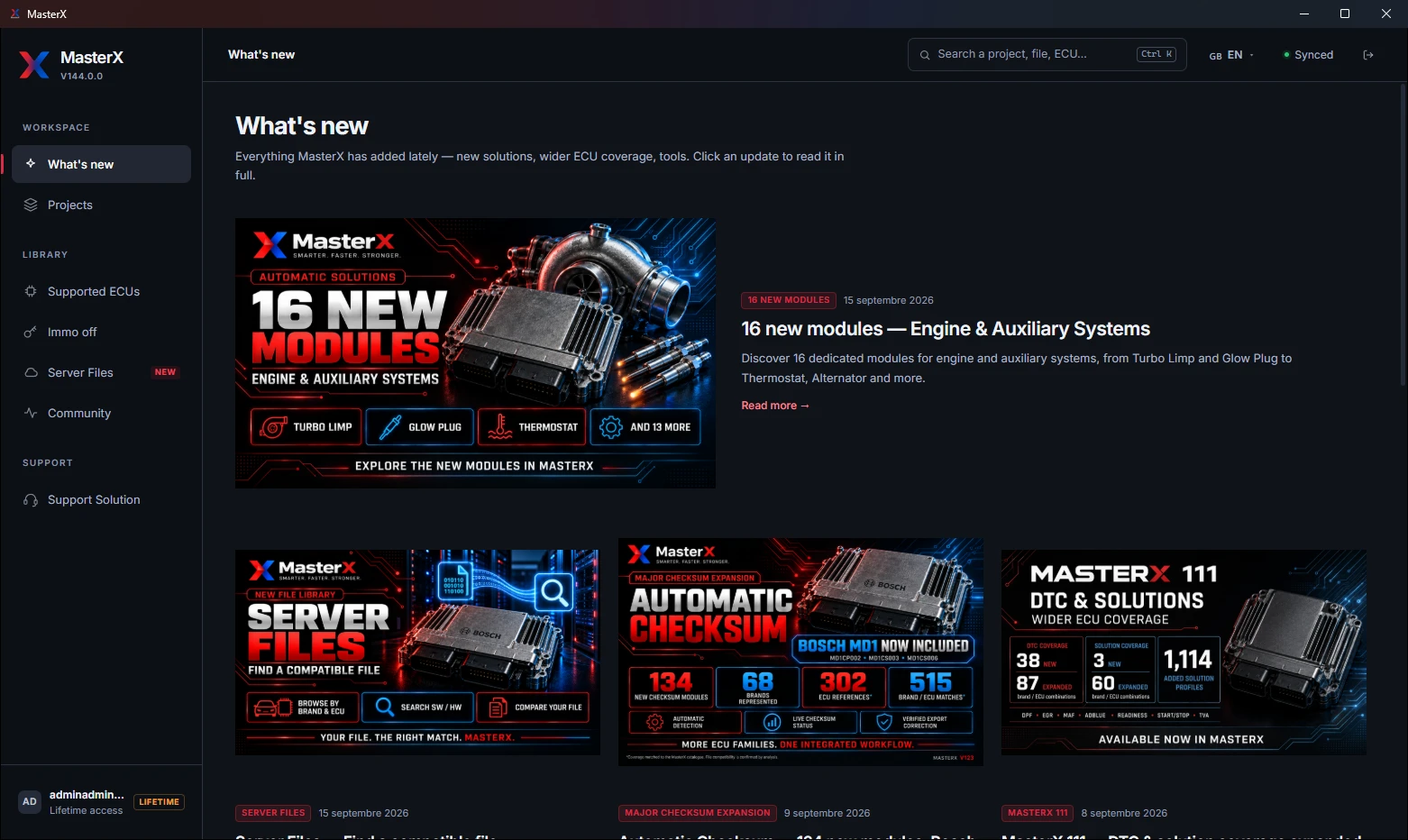
WHAT’S NEW · FROM 109 TO 144
Eleven days of updates, from 07/09 to 18/09/2026, all included in your licence. Every new feature also appears inside the app, in What’s new, as soon as you sign in.
THE LATEST · 17–18/09/2026
DTC signature scanning now runs on a native engine that uses every core of the processor. The codes found do not change: zero difference measured across 179 ECUs.
Drop a file, even one already modified: on our bench of 407 files, the exact original is found in 92% of cases, against 46% with references alone. Shown in about two seconds.
DPF, EGR, Stage and Pops & Bangs apply together without cancelling each other. Measured on a Golf EDC17C64: Stage 1 applied in 1.4 s instead of 11.2 s.
BEFORE THAT
Turbo Limp, Glow Plug, Thermostat, Alternator and twelve more systems, offered from the fault codes identified in your file.
Browse the library by manufacturer and ECU / TCU family, search an exact SW or HW reference, and compare your binary with the matching files.
134 modules added, for 135 in total, including MD1CP002, MD1CS003 and MD1CS006. The checksum status is shown in the project and the correction is verified before export.
DPF 392 · EGR 308 · Readiness 192 · AdBlue 129 · MAF 48 · Start/Stop 41 · TVA 4, and 147 DTC or solution pairs improved.
Flexfuel, Start/Stop, BMW Stage 2, Swirl and OPF / GPF, verified byte for byte on 428 reference files.
All these updates are included for the duration of your licence.
EVERYTHING MASTERX DOES
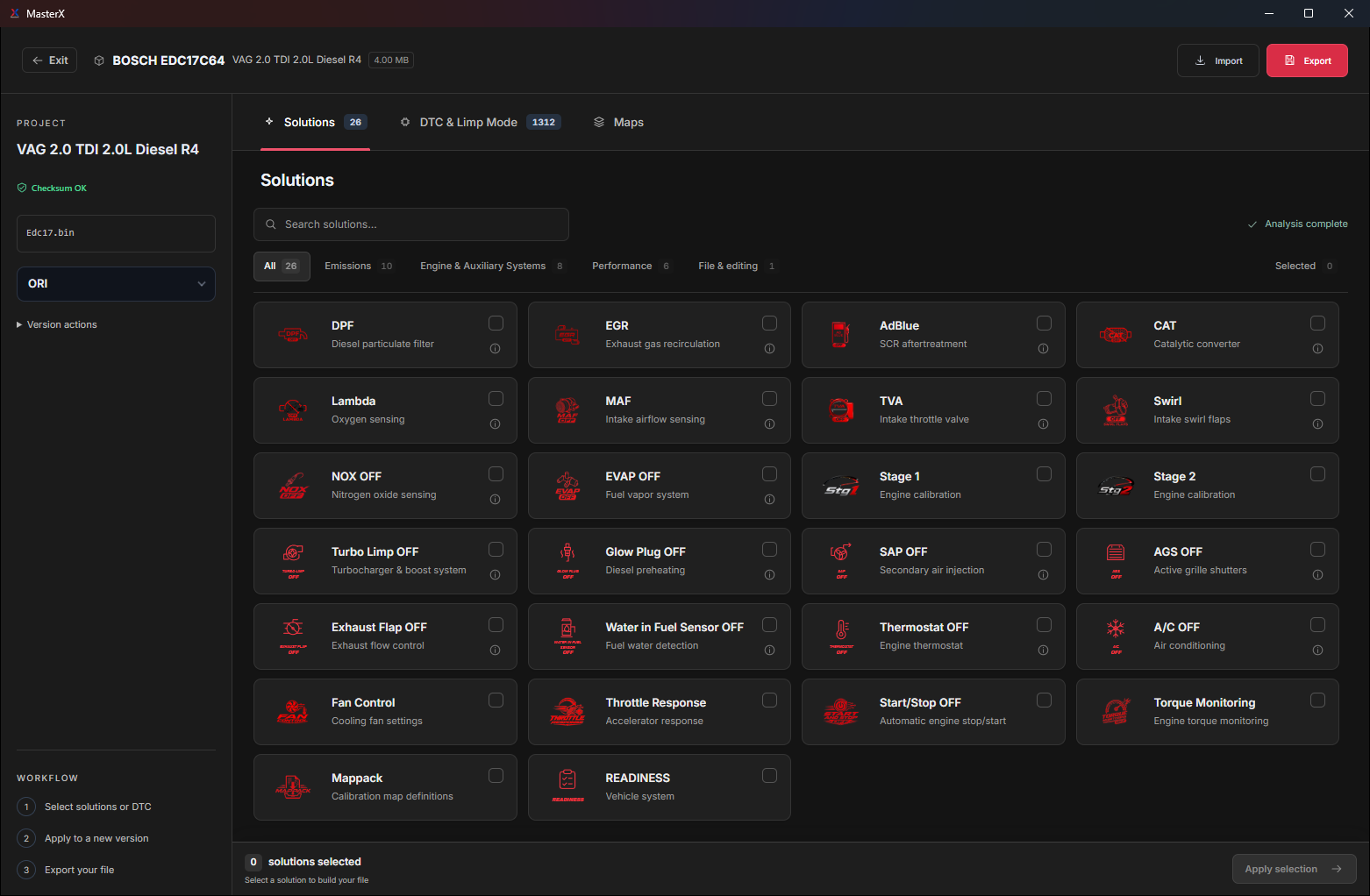
Emissions, performance, fault codes, immobiliser, maps: every tile below is a MasterX solution or module, exactly as it appears in the app.
 DPFEmissions
 EGREmissions
 AdBlue / SCREmissions
 LambdaEmissions
 CATEmissions
 MAFEmissions
 TVAEmissions
 Swirl / FlapsEmissions
 OPF / GPFEmissions
 DTC OFFFault codes
 NOxFault codes
 EVAPFault codes
 Torque MonitoringFault codes
 Stage 1Performance
 Stage 2Performance
 Pops & BangsPerformance
 FlexFuelPerformance
 Fan ControlPerformance
 Vmax OFFPerformance
 Start/Stop OFFPerformance
 Throttle ResponsePerformance
 IMMO OFFImmobiliser
 Super MappackFiles & maps
 Map editorFiles & maps
 No Read RemoverFiles & maps
 Turbo Limp OFFNew · engine
 Glow Plug OFFNew · engine
 Intake Heater OFFNew · engine
 SAP OFFNew · engine
 AGS OFFNew · engine
 Exhaust Flap OFFNew · engine
 Active Engine Mounts OFFNew · engine
 Crankcase Ventilation OFFNew · engine
 Water in Fuel Sensor OFFNew · engine
 Thermostat OFFNew · engine
 Fuel Composition Sensor OFFNew · engine
 A/C OFFNew · engine
 Alternator OFFNew · engine
 Oil Level & Quality Sensor OFFNew · engine
 Cylinder Deactivation OFFNew · engine
 PremAir / DOR OFFNew · engine
Availability depends on your ECU and its software version. The supported list is public: check yours before you pay.
THE NEW WORKFLOW
Move from identification to solutions and map editing without losing the context of your project.
Create a project from your ECU file. MasterX searches for the ECU identity and associated catalogue.
The analysis distinguishes available solutions, unsupported operations and checks that need attention. Availability depends on the actual file.
Explore the maps, prepare your settings and review your selection before applying and exporting.
MORE CONTROL
The latest workspace brings automatic solutions, map recognition and dedicated settings into the same interface. Module availability varies by ECU and software version.
Browse recognised maps by function: injection, rail pressure, torque, limiters and more. Inspect their values in the editor.
Compare Original, Sport, Sport+ and Race pedal-response profiles, with an advanced mode for inspecting the tables.
View the detected fan thresholds and prepare the cooling settings from the values in your file.
Speed limiter removal: the limiter is recognised by the role of the values around it, never by a stored address. On an ambiguous file, the tile stays off.
Start & Stop switched off from profiles measured on real original files. Each operation keeps its own compatibility checks.
Immobiliser switched off on the flash, on the EEPROM, or on both in one pass. The supported list gives the method for each ECU.


NEW · ENGINE & AUXILIARY SYSTEMS
Each module is offered from the fault codes identified in your file and the associated Limp OFF. Open the project, review the modules detected for your ECU and software version, then apply.
Availability depends on the loaded file, the ECU and the software version. The modules are grouped in the project and in the supported ECU list, under Engine & Auxiliary Systems.
See them in the supported list →FILE IDENTIFICATION
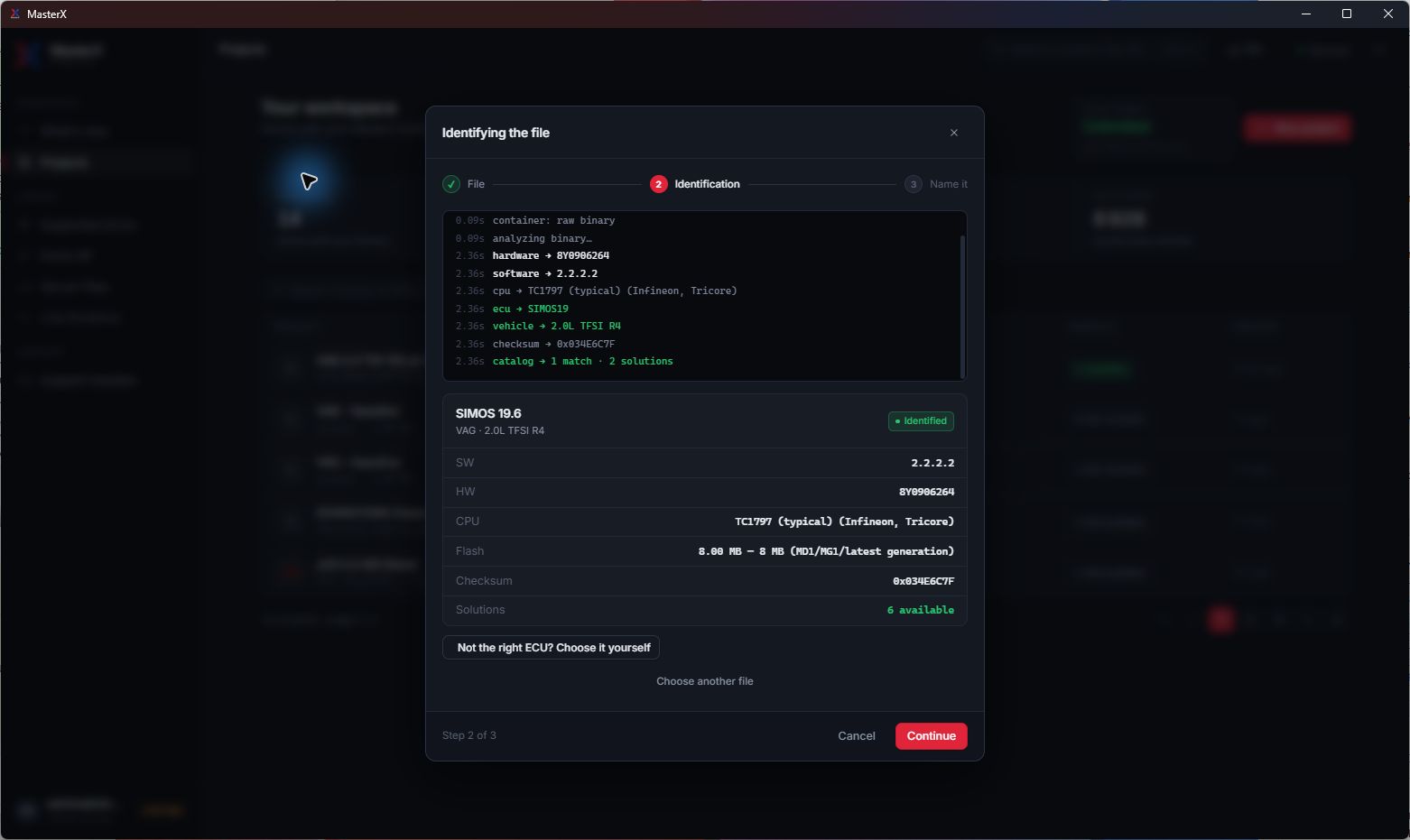
MasterX reads the binary and presents the detected ECU, hardware and software identifiers, memory size and matching catalogue. Confirm the result before continuing; you can correct the identification manually.
STAGE 1 / STAGE 2
Stage availability is checked against the loaded file. Review the compatibility result and the reference power and torque figures before making your selection.
Automatic preparation on compatible files, with availability shown in the Solutions panel.
Additional performance solutions on the supported ECU and software combinations.
VIRTUAL DYNO
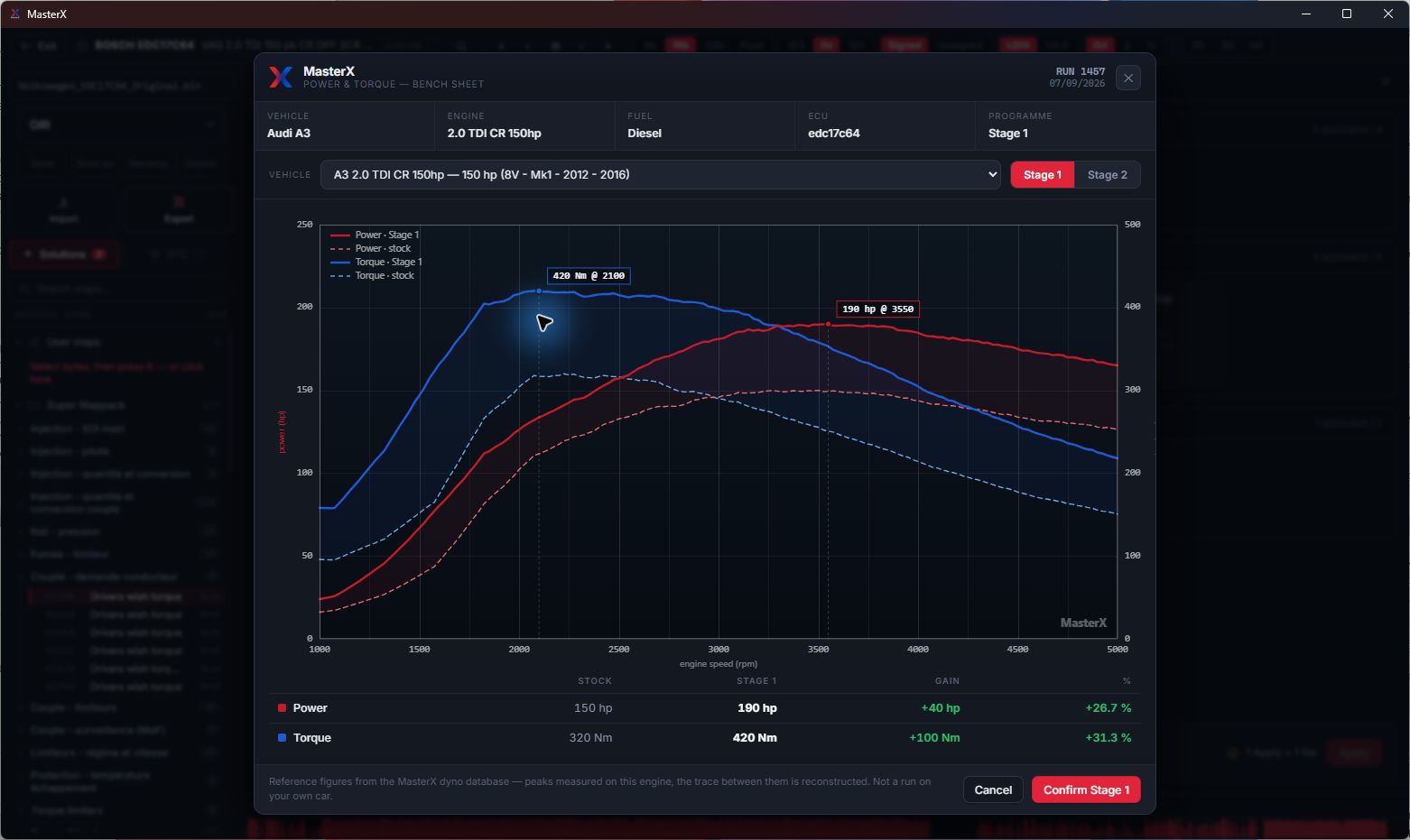
Compare stock and stage reference curves for the selected engine. The virtual dyno uses the MasterX reference database; it is not a measurement of the vehicle whose file you loaded, or a guarantee of its result.
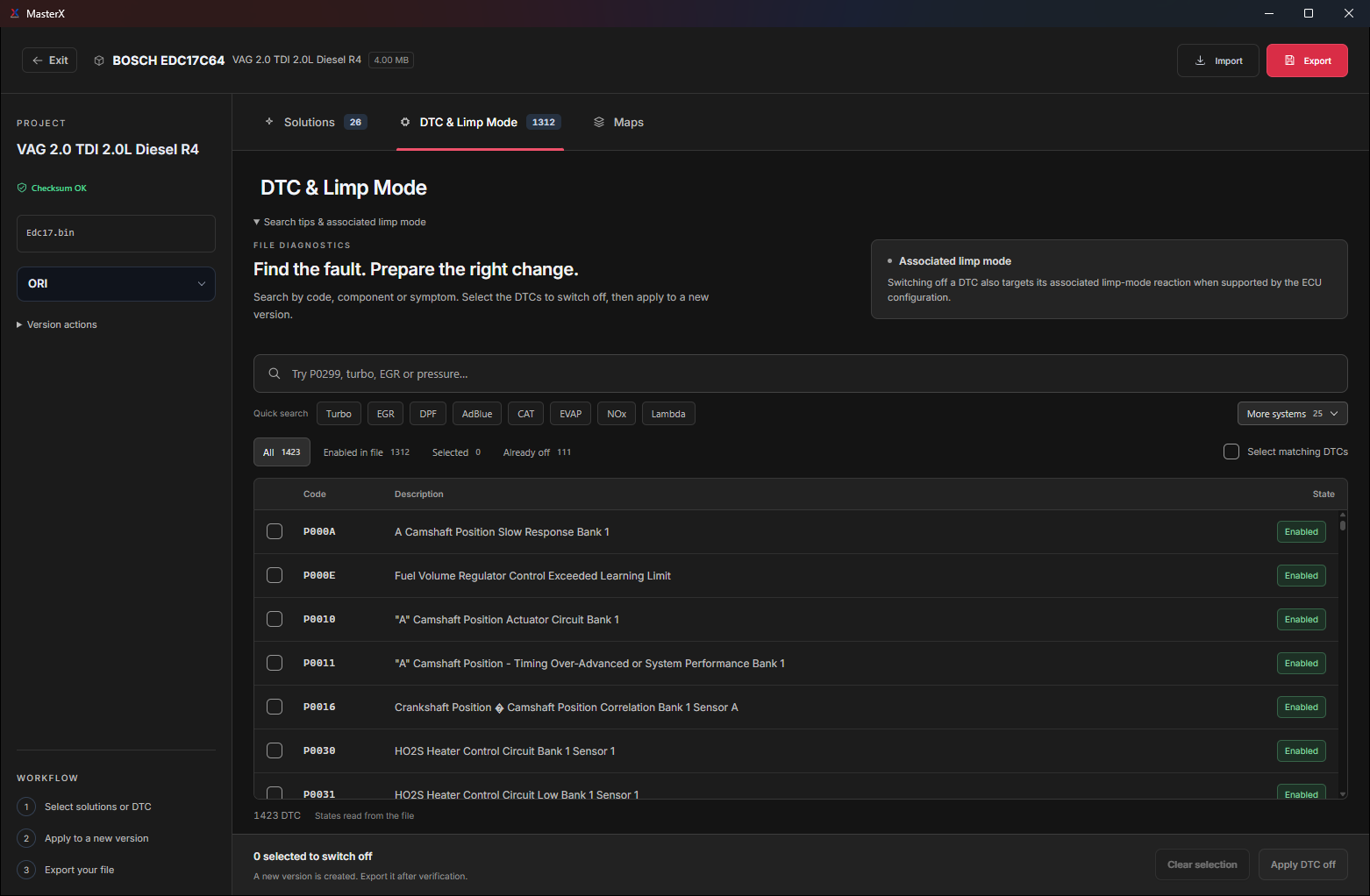
Automatic DTC recognition
The public DTC list dated 18/09/2026 covers 731 ECUs across 64 brands. Available codes and functions depend on the tables recognised in the loaded file.
DTC recognition can provide related operations for systems such as NOx, EVAP, flaps, TVA, Lambda, MAF and Torque Monitoring when the corresponding tables are identified. Check the result on your file.
The whole supported list is public and searchable: every ECU, every brand, every solution it can run, dated 23/08/2026.
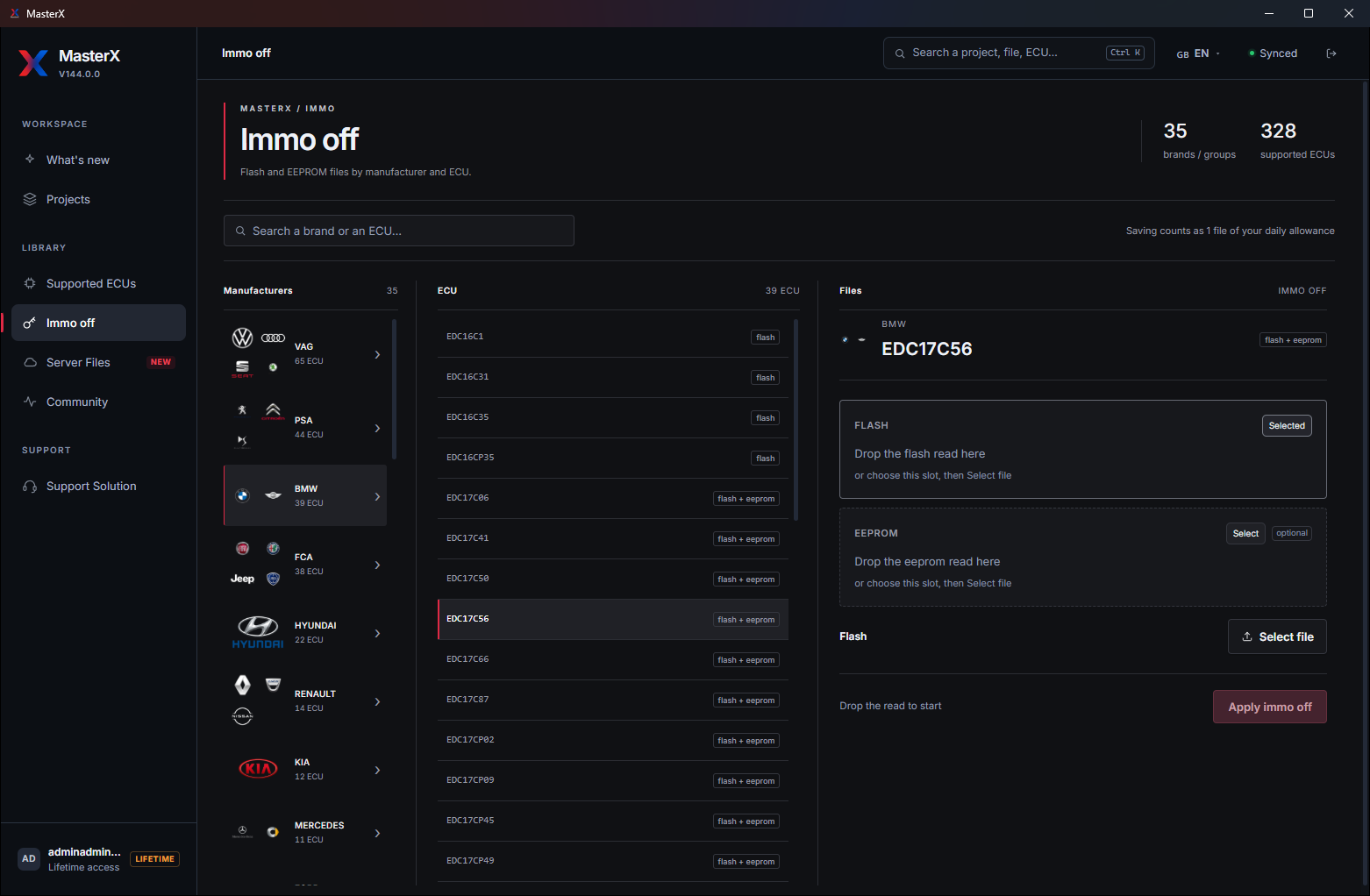
IMMO OFF
Select the brand and ECU, then load the FLASH and EEPROM files required by the supported procedure. Compatibility depends on the ECU and the files provided.
Separate file inputs for the supported immobiliser procedures.
Review the detected result before preparing the modified file.
FAN CONTROL
Inspect low- and high-speed thresholds in a dedicated panel. Advanced mode lets you explore the underlying settings when supported.


SUPER MAPPACK & MAP EDITOR
Find a function in the Super Mappack, open its table and inspect the 3D surface. Keep the binary overview, addresses and map families together as you work.
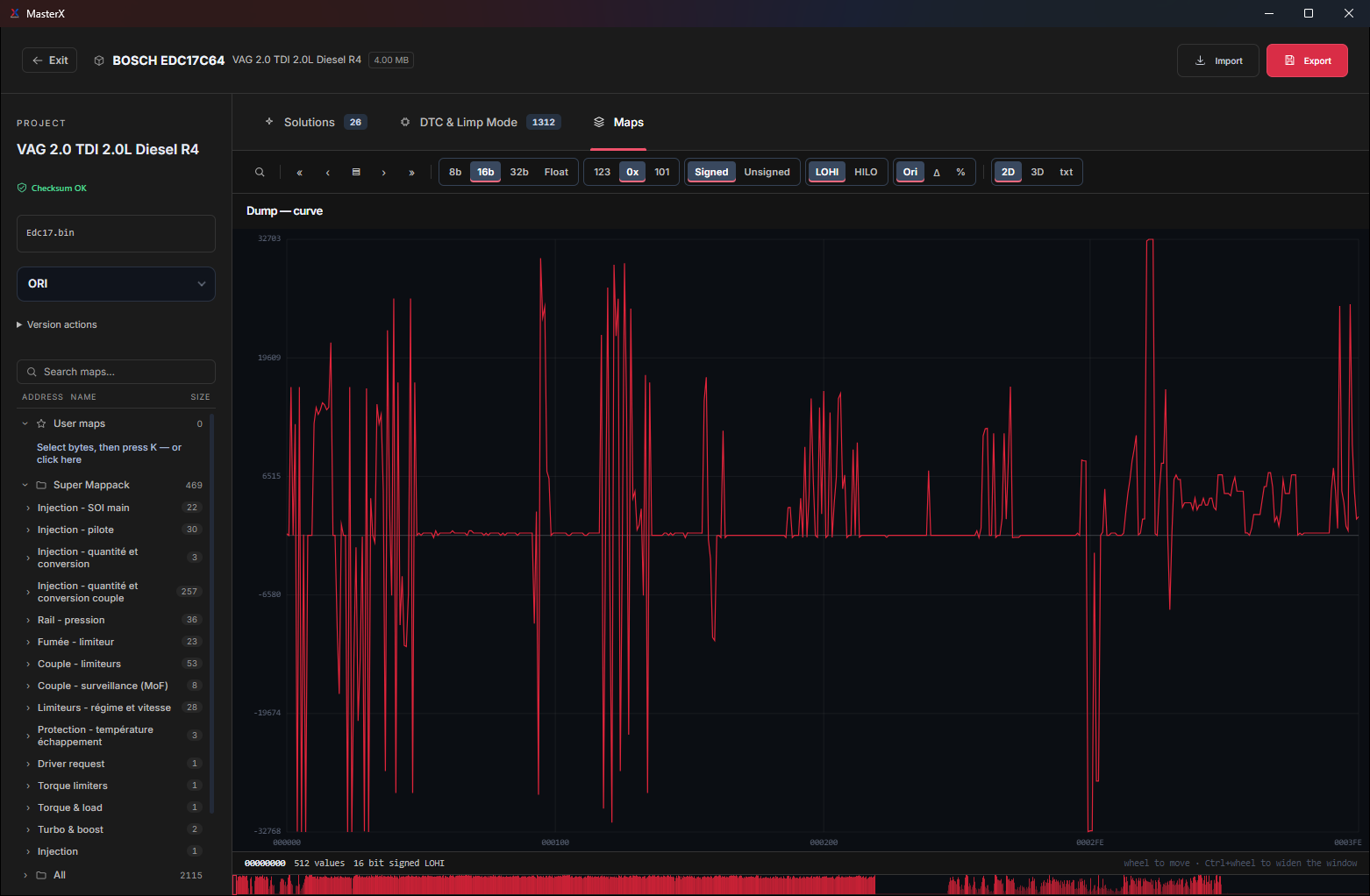
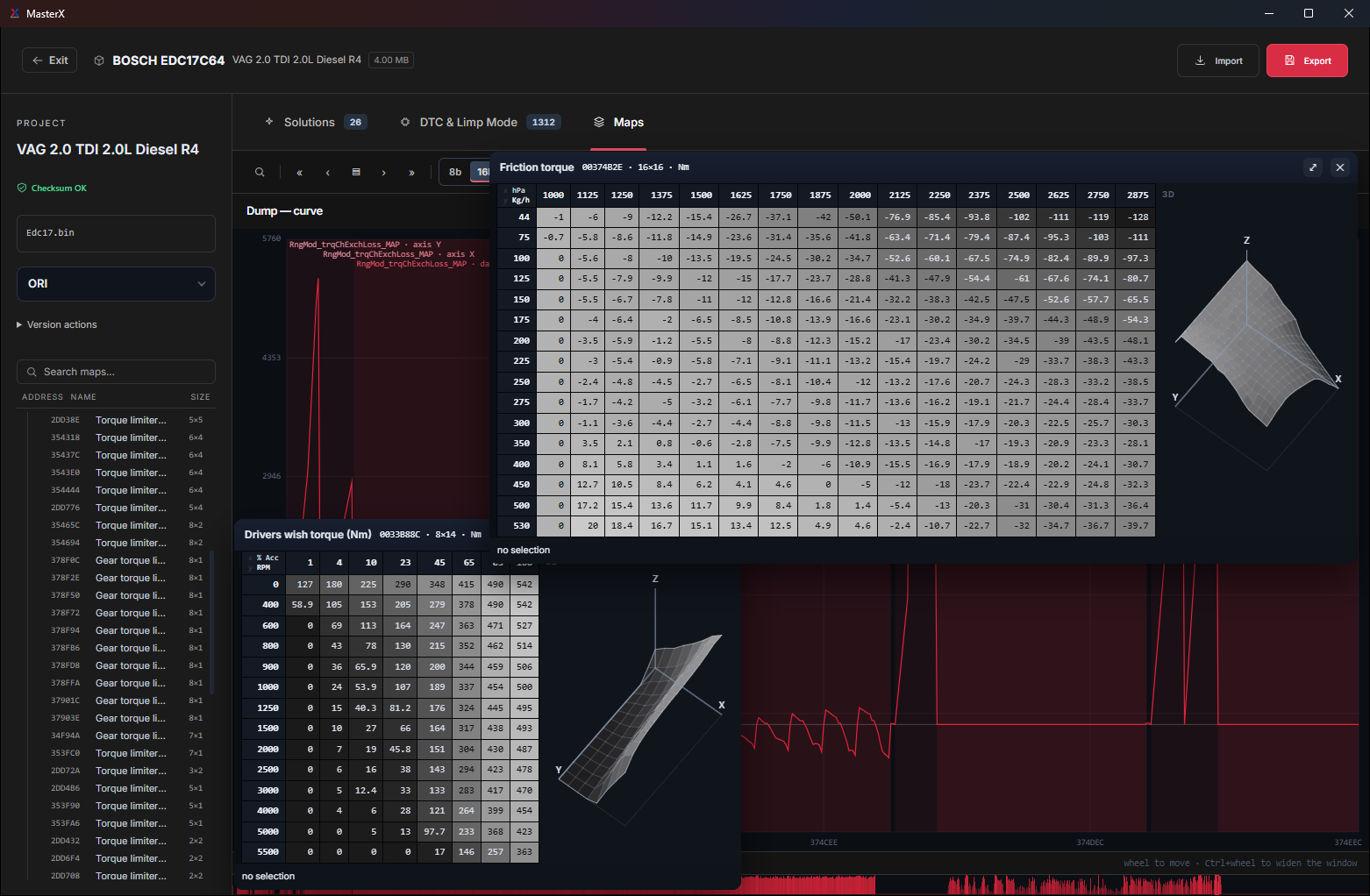
Browse categories and search by map name. Separate recognised maps from potential maps that need further inspection.
Switch between the value curve, hexadecimal view, map table and 3D surface.
Keep the original as a reference and manage your work within the project.
AUTOMATIC CHECKSUM · MASTERX 123
Open your project: MasterX examines the binary and finds the applicable checksum module on its own. Bosch MD1 is part of the expansion.
Automatic correction included in Annual Plus and Ultimate Plus. Coverage is matched to the MasterX catalogue; each file’s compatibility is confirmed by the analysis.
SERVER FILES · MASTERX 135 → 141
Server Files brings together 246,126 original files. Browse them by manufacturer and ECU / TCU family, search an exact SW or HW reference, or simply drop your own file.
A reference match alone does not certify that a file is an original. Some listed files remain unavailable while they are being uploaded; downloads follow the daily quota shown in the app.
IN THE WORKSHOP
The latest versions mostly change the daily work: faster analysis, solutions that combine without cancelling each other, and a clear report with every exported file.
DTC signature scanning runs on a native engine that uses every processor core: up to 20× faster, with exactly the same codes found.
DPF, EGR, Stage, Pops & Bangs: everything applies in one pass. The most specific solution has the last word and every overlap is recorded; nothing is cancelled silently.
MasterX locates the maps of your own file by their content rather than by a fixed address, and its solution profiles are checked byte for byte against reference files. Stage 1 applied in 1.4 s on a Golf EDC17C64.
The binary goes into its own folder with README_MasterX.txt: for each solution, what to unplug, or that there is nothing to unplug.
English, French, German, Spanish, Arabic, Turkish, Chinese and Russian. The exported notice follows the chosen language.
Projects, versions and the original file are saved on the server: open them again on your other computer, nothing to copy.
LIVE SOLUTIONS
Find updates, discussions and community feedback in Live Solutions. Technical assistance is available on Plus plans under the conditions shown on the licence page.
Keep track of new functions and published improvements.
Share suggestions and report issues from the application.
Find conversations around ECU families and solutions.
The rest of the platform
MapX detects and identifies calibration maps inside supported ECU files. Structured table, dyno-style HP and Nm curves, manual and automatic editing, and Stage generation straight from the results.
Browse the original-file library by manufacturer, ECU / TCU family or SW / HW reference, or drop your own file to find its original from its content. Requests for manual Restore ORI processing are included on Plus plans, subject to the supplied file and available references.
With Annual Plus or Ultimate Plus, submit manual processing requests through Support Solution. Support usually answers within minutes on Ultimate Plus, and within hours on Annual Plus under normal conditions. Maximum time for support and manual processing: 48 h on Annual Plus, 24 h on Ultimate Plus, in calendar hours, 7 days a week, for a complete request and a usable file. Annual includes neither personalised technical support nor manual processing.
Licences
Three plans, every one of them with the complete automatic suite. The full feature list, the delivery steps and the side-by-side comparison are on the licences page.
Automatic solutions included; personalised technical support and manual processing not included.
Two computers, unlimited files, checksum included. Support answers within hours under normal conditions; support and manual processing within 48 h maximum, 7 days a week; 1 manual stage/day.
Support usually answers within minutes. Priority support and unlimited manual processing, 24 h maximum, 7 days a week, and the checksum module.
Hardware
MasterX works on the file, not on the wire. Whatever you use to read and write the ECU, the dump it produces is what MasterX opens — so you keep the tools already on your bench and change nothing in your habits.
Tools your files already come from
Work with files read through OBD2, bench, boot mode, BDM or JTAG, depending on the ECU and your reading tool. The file format, contents and completeness determine what MasterX can process.
No dongle to buy, no interface imposed, no per-file token on the automatic modules. Your licence is tied to your computer, not to a piece of hardware.
Load a compatible binary read or backup. MasterX checks the available identity and functions; a partial, unsupported or corrupt file may not contain the data required for a requested operation.
The solution is applied to your own dump in its own format. The checksum correction module is included in Annual Plus and Ultimate Plus. Verify the file and checksums before writing with your tool.
BEFORE YOU CHOOSE
Use the dated public catalogue as a starting point, then check the file in MasterX. Catalogue coverage and the availability of a solution on a particular read are different checks.
COMMUNITY · LIVE RATINGS
Inside MasterX, the Community section lets you rate in real time the solutions applied to your files and share your review with every user; the MasterX team answers there. Here are the reviews published in the app, with the team’s answers.
{{ rv.car }}
{{ rv.sol }}
{{ rv.comment }}
{{ rv.reply }}
{{ rvHint }}
What working technicians say
Support replies in just a few minutes, even on tricky cases. Before MasterX I used to spend hours on some IMMO OFF jobs, now it is done within the day. A daily essential.
The automatic solutions are powerful and complete, they cover everything I need day to day. And if a case gives me trouble, support is always there to back me up.
I bought MasterX just to do a DPF OFF on a Citroën MD1CS006 nobody around me could crack. One job and the software paid for itself, with profit on top. A year later I still use it daily.
I use it for IMMO, ECU solutions, pin extraction, software identification, and support is top. It fits my daily work perfectly.
This software is second to none. IMMO OFF on a SID305 with no operation to do, the car started immediately.
The app has evolved a lot in a short time. DPF and AdBlue OFF on modern Citroën MD1CS003 as automatic solutions, nothing unplugged, working 100%. No regrets on the purchase.
Questions before adopting
MasterX processes compatible files produced by reading tools such as K-TAG, KESS V2/V3, ByteFlasher, CMD Flash, MPPS and PCMFlash. Reading and writing the ECU are performed by your tool; MasterX analyses and modifies the file.
Delivery is digital. For payments made on the website through Stripe, the licence is activated after payment validation and credentials are normally emailed within minutes. For professionals paying by bank transfer, credentials are sent on the day the funds are actually received in the MasterX account. Proof that a transfer was initiated is not receipt of funds. Customers must provide a valid email address and the information needed for invoicing.
Yes. The full supported list is public and dated: 1,834 ECUs across 114 brands, with Stage 1, Stage 2, IMMO OFF, DTC recognition, FlexFuel and Pops & Bangs shown per ECU. Separate lists dated 18/09/2026 cover Fan Control, Vmax OFF, Start/Stop OFF, Throttle Response and Mappack.
Annual includes neither personalised technical support nor manual processing. Annual Plus includes support, unlimited manual file processing and one manually prepared stage file per day; automatic stages are unlimited. Ultimate Plus includes support, unlimited manual files and unlimited manually prepared stages, with processing priority. Restore ORI is manual processing, available from Annual Plus. The checksum module is automatically included in Annual Plus and Ultimate Plus; it is not included in Annual. Files that can be processed are generally handled within minutes: automatically on all licences, or by the team on plans that include manual processing. Support usually answers within minutes on Ultimate Plus, and within hours on Annual Plus under normal conditions. These usual times are indicative. The announced maximum is 48 hours on Annual Plus and 24 hours on Ultimate Plus, measured in calendar hours, 7 days a week, including weekends and public holidays, upon receipt of a complete request and a usable file. For a file-related request, this period covers both processing and the support response; the deadlines are not added together. The time required depends on the file and the work requested. For a technical question without a file, the same maximum reply time applies. Manual processing requests are submitted through Support Solution in the software.
Software updates are included during the licence period. The public catalogue is a dated snapshot: check its generation date and confirm current compatibility by analysing the file in MasterX.
MasterX checks stage compatibility against the loaded file and displays the result. Each module has its own checks; there is no universal 100% threshold. Review compatibility and the reference curves before applying. An incompatible stage is not offered.
MasterX is a Windows application for 64-bit PCs. Use Windows 11 or Windows 10 with the required WebView2 runtime. Compatibility with Windows 8 and 8.1 is not guaranteed.
MasterX is available to professionals and individuals with the necessary technical skills, for use on competition, track and off-road vehicles. The user is solely responsible for compliance with local regulations.
YOUR NEXT STEP
Every automatic module from Annual up. Plus plans add our team: support, manual processing and checksum.
For independent work
€599
12 months of access · optional renewal €499/year
Recommended
Automation + expert support
€1,799
12 months of access · optional renewal €1,399/year
For the most demanding workloads
€3,499
12 months of access · optional renewal €2,999/year
Compare the 3 licences in detail A question before you choose?
Annual excludes technical support, manual processing and checksum. Annual Plus includes 1 manual stage request/day. Support deadlines are in calendar hours, 7 days a week. See the licence page for full details and renewal prices.